
A tour of Anvyll
Anvyll is a Windows prompt optimizer. The overlay rewrites the draft in the field you are typing in; Studio is where you test, save and tune prompts. This is every screen that matters, as it ships.
Your draft, already there.
Press the hotkey in any text field and the overlay opens over your work, filled with what you were writing. Pick the model, pick the structure, generate.
Ctrl Space
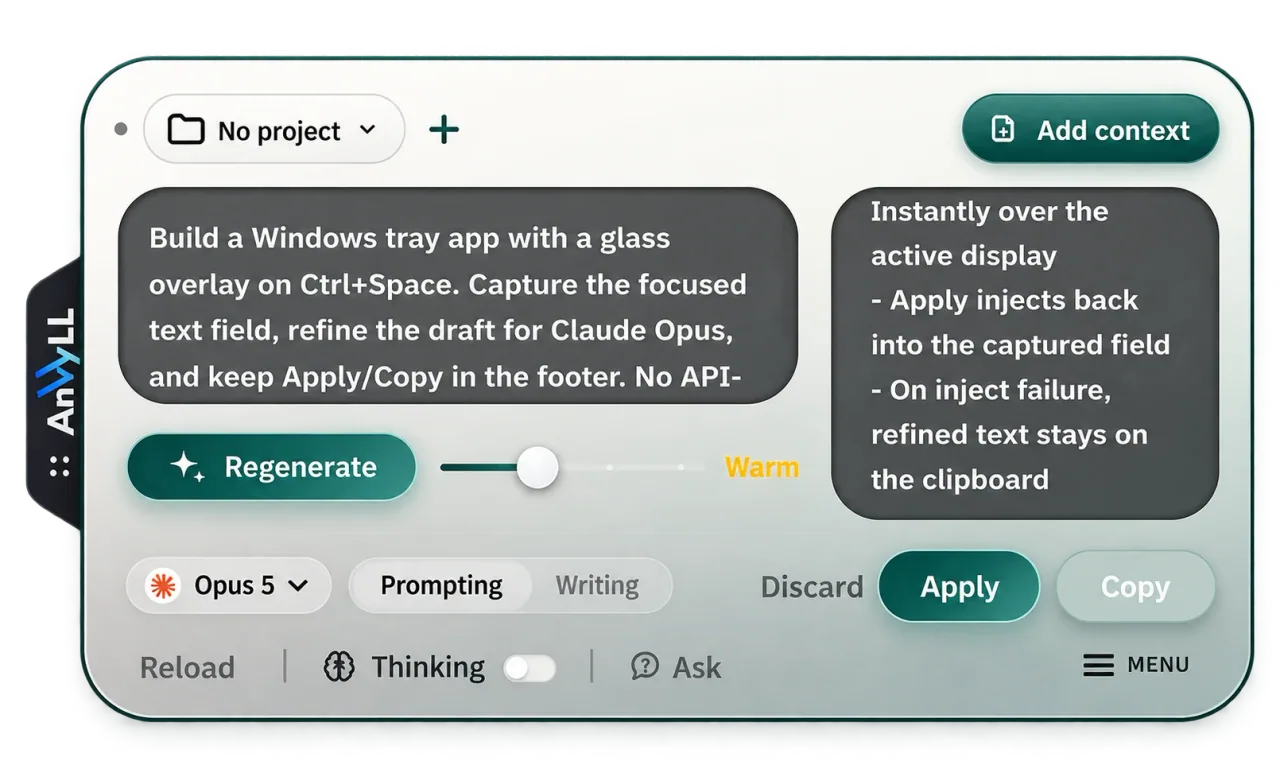 Attach chat or project context Generate, then regenerate Aim it at your model Apply or Copy it back
 - Attach chat or project context
- Generate, then regenerate
- Aim it at your model
- Apply or Copy it back
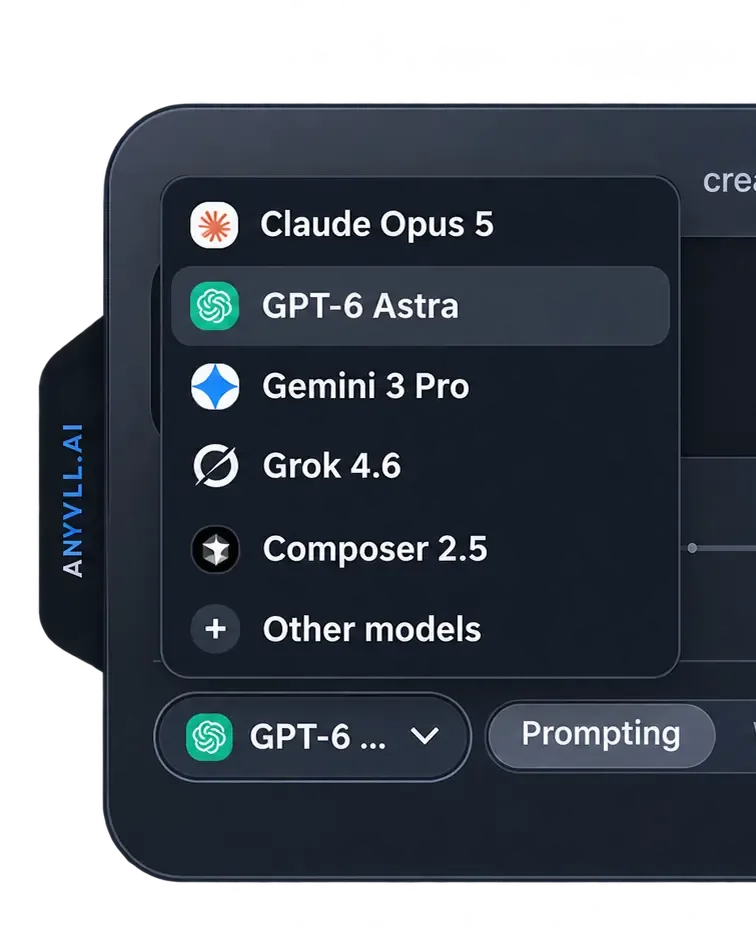
Rewritten for the model you send it to.
Every AI has its own published prompting guide. Pick your target and Anvyll restructures the prompt to that model's guide: XML tags for Claude, numbered steps for GPT.
Test the prompt before you ship it.
Target one model for structure, run it on another, and read the result beside your draft.
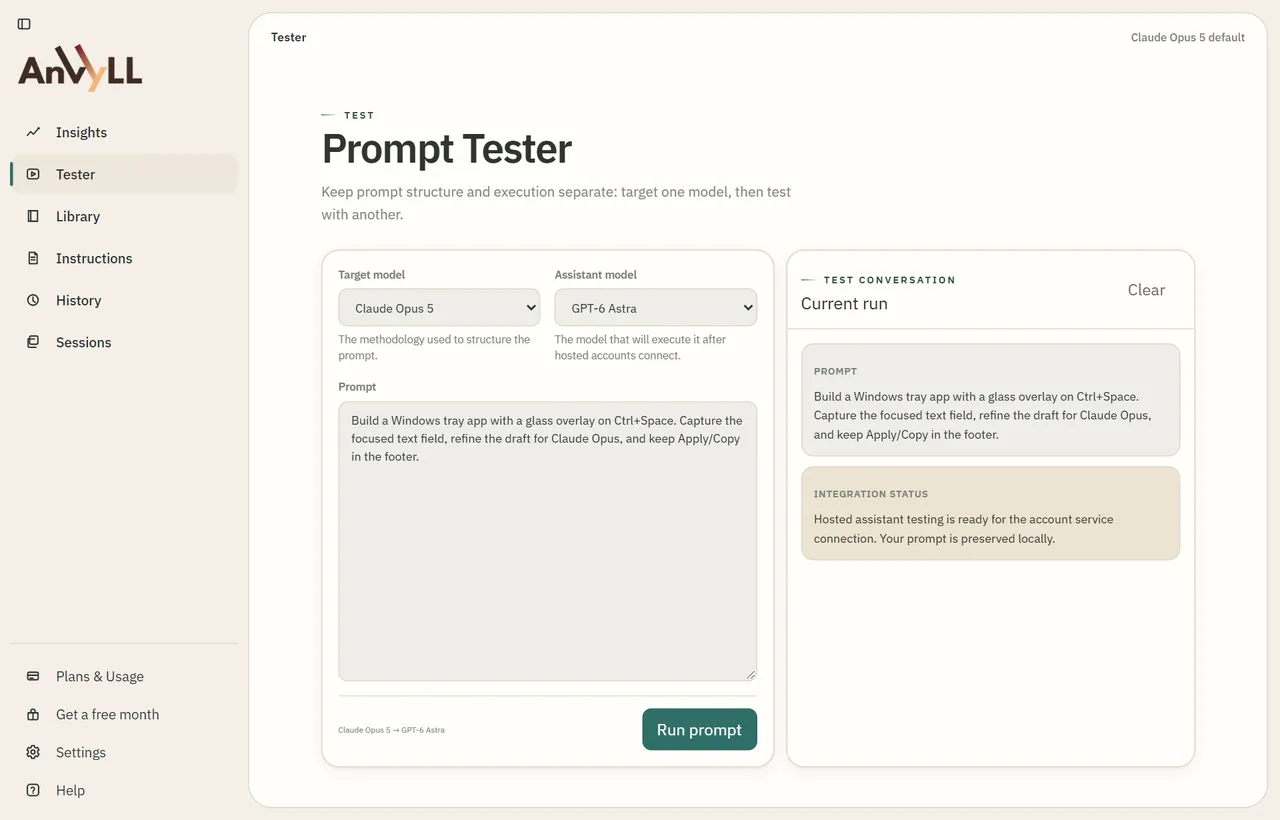 Model the structure is for Model that runs it Run and compare
 - Model the structure is for
- Model that runs it
- Run and compare
Your best prompts, one click away.
Find, pin and edit the prompts you reuse. Filter by category or model and run them without rebuilding.
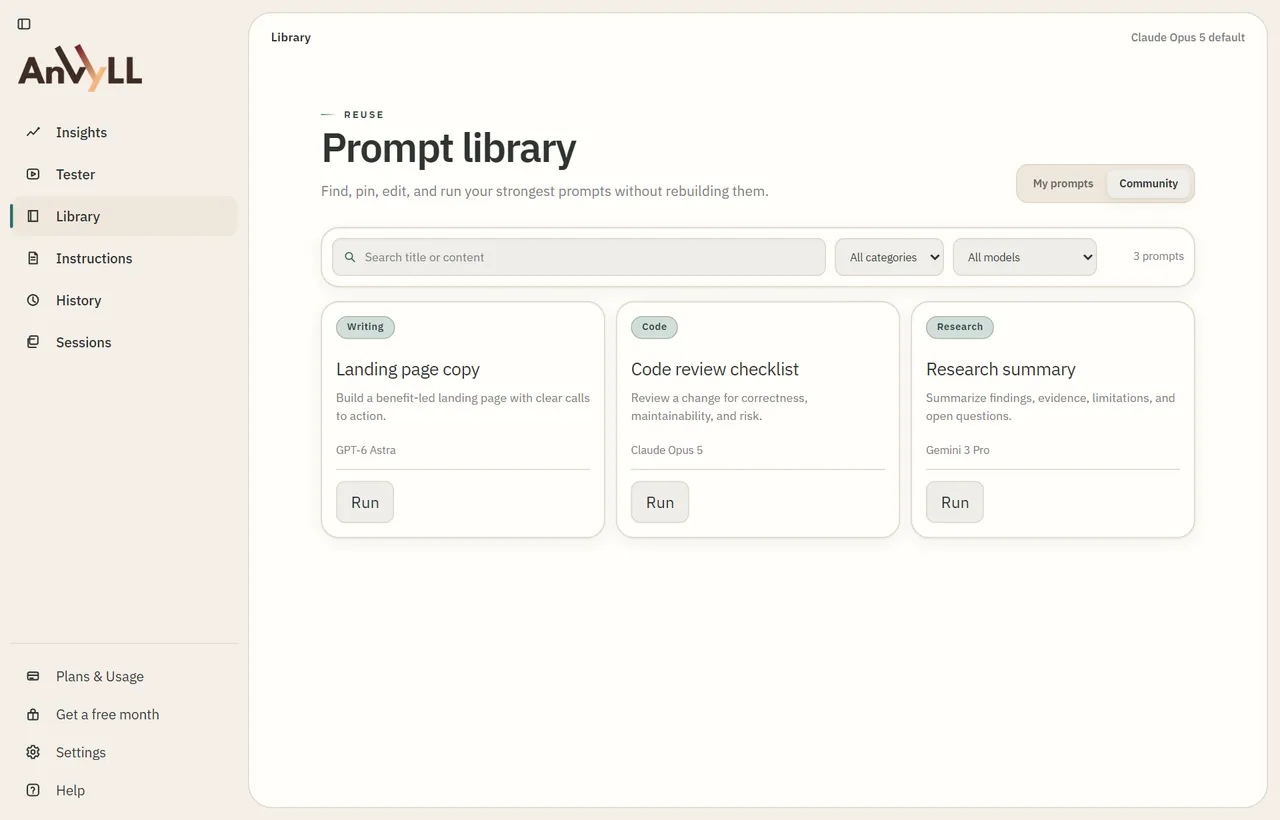 Search every saved prompt Run in one click
 - Search every saved prompt
- Run in one click
Say it once. Applied every time.
Write house rules such as tone or what to avoid. They count as binding instructions on every refine.
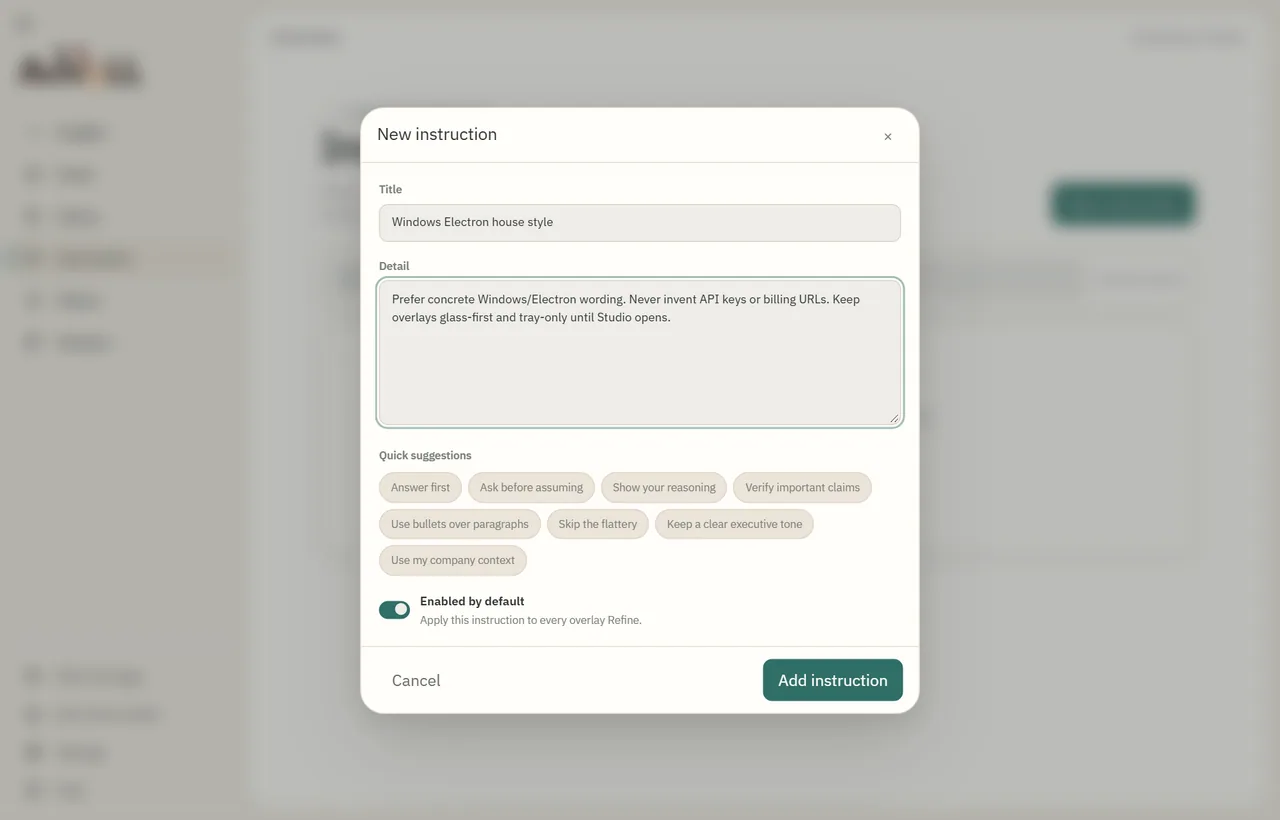 Write the rule once Or start from a suggestion On for every refine
 - Write the rule once
- Or start from a suggestion
- On for every refine
Built for Cursor and Windsurf.
Turn on variable recognition and file tagging so filenames and folders in the output become @name tags your agent can follow.
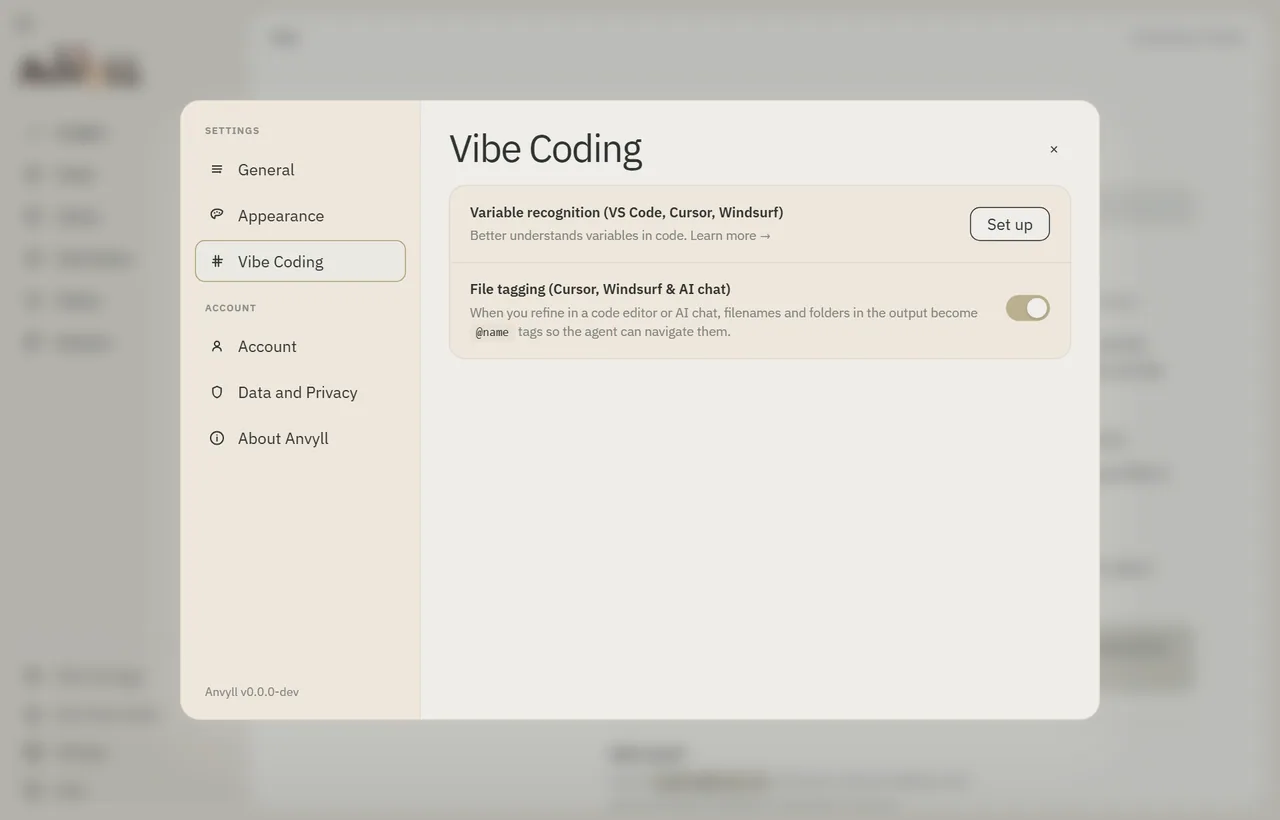 Set up variable recognition Tag files with @name
 - Set up variable recognition
- Tag files with @name
Know what you've used.
Your credit balance, usage over time and what each plan includes, in one place.
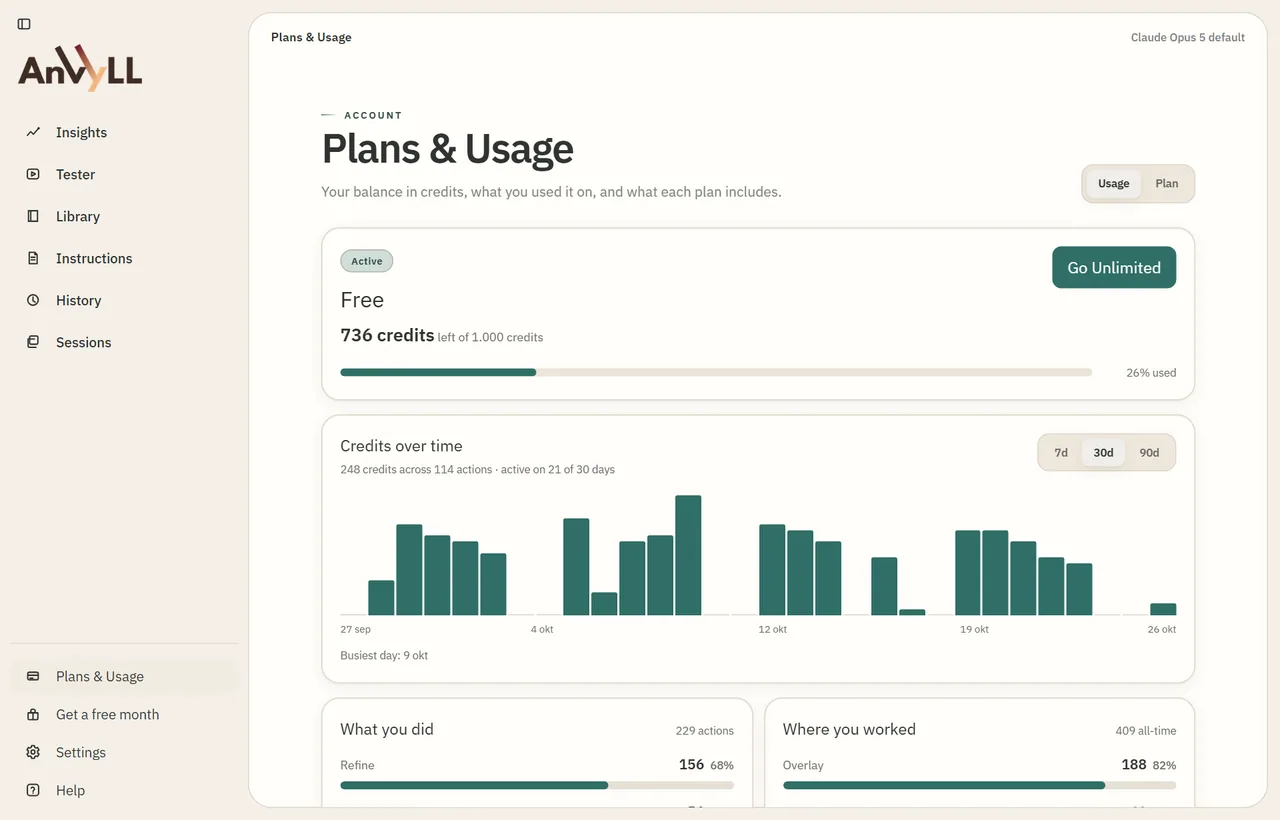 Credits left Usage over time Upgrade when you want
 - Credits left
- Usage over time
- Upgrade when you want
Your vault stays on your PC.
Prompts and history are stored in a local vault. Pressing Generate sends the submitted prompt to the Anvyll service; usage and billing records are kept apart.
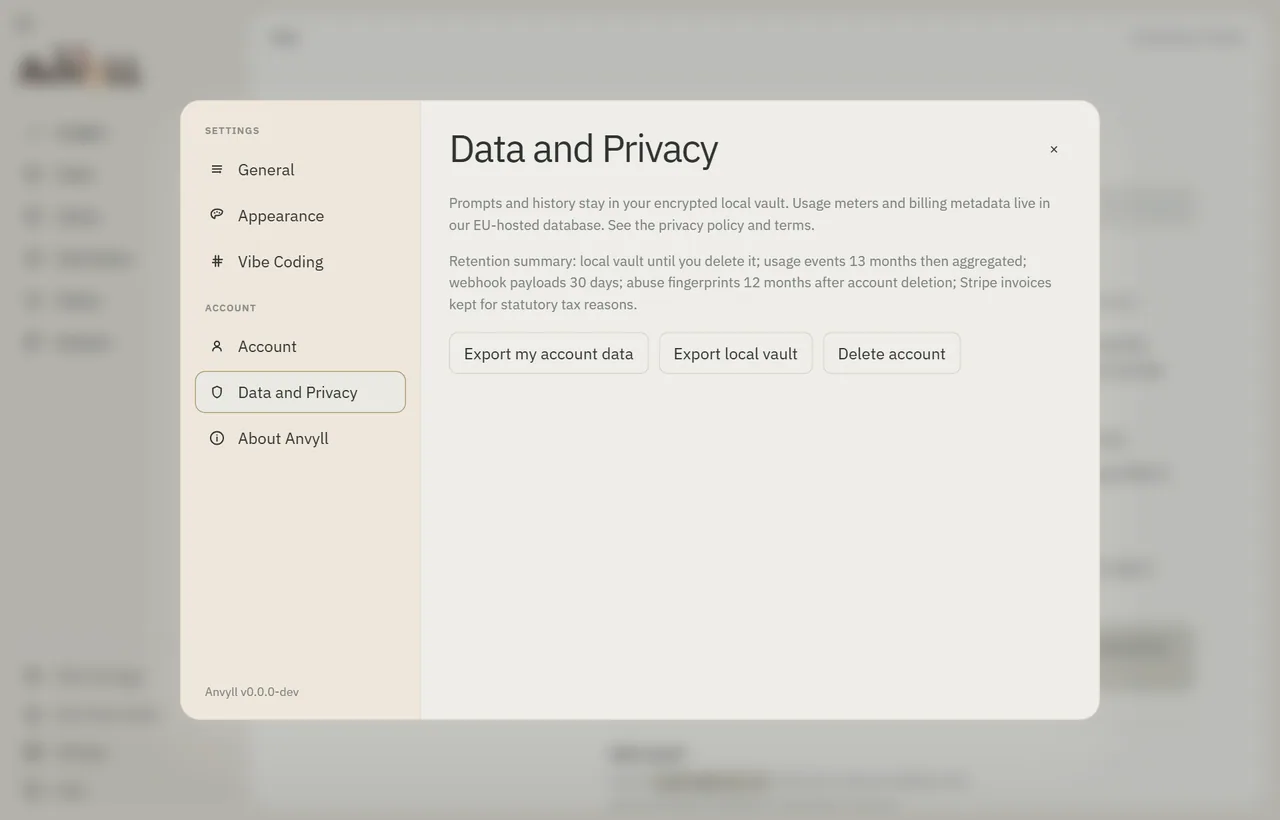 Export your data Delete your account
 - Export your data
- Delete your account
Ten themes. Pick yours.
Studio, overlay and onboarding share one appearance. Change it any time in Settings.
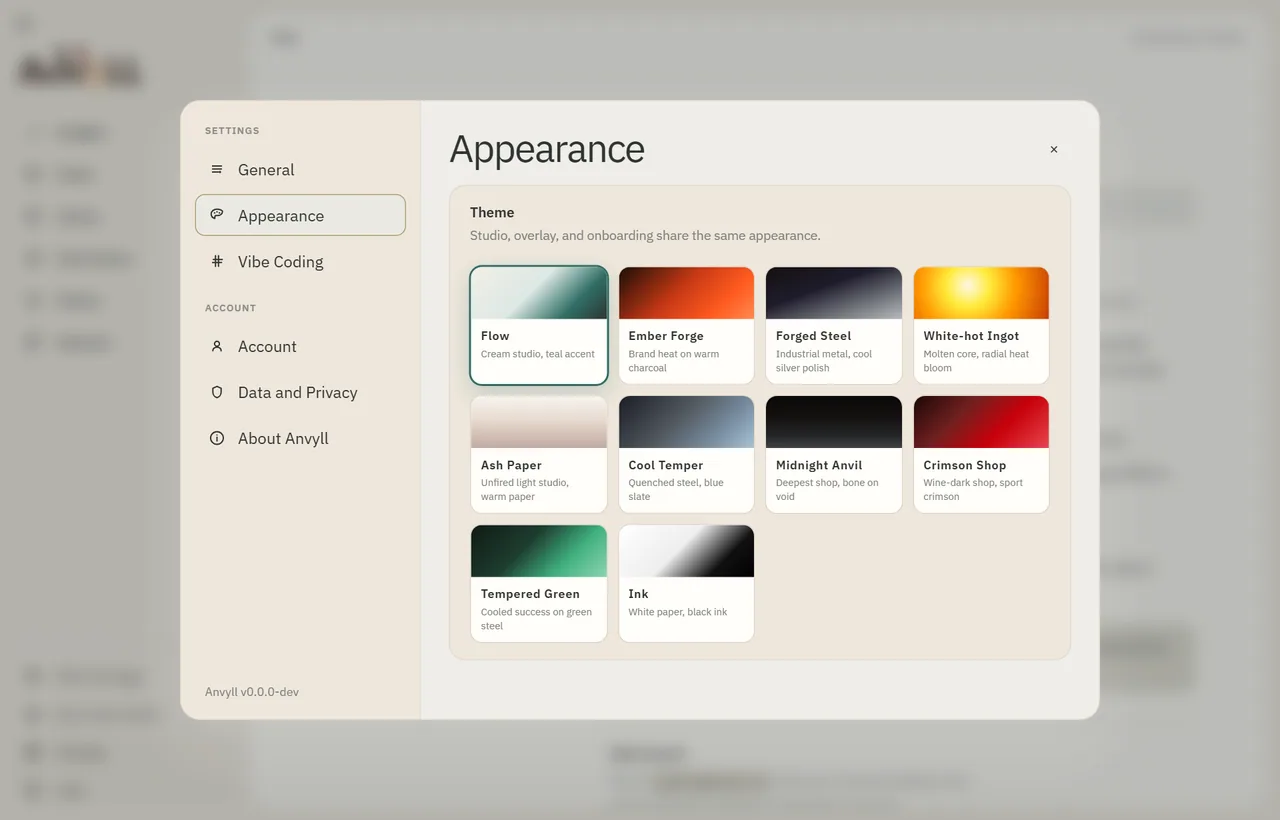 Flow, the default Ink, pure black and white
 - Flow, the default
- Ink, pure black and white
Try it on your next prompt.
Windows 10 or later. Press Ctrl+Space in any text field.